
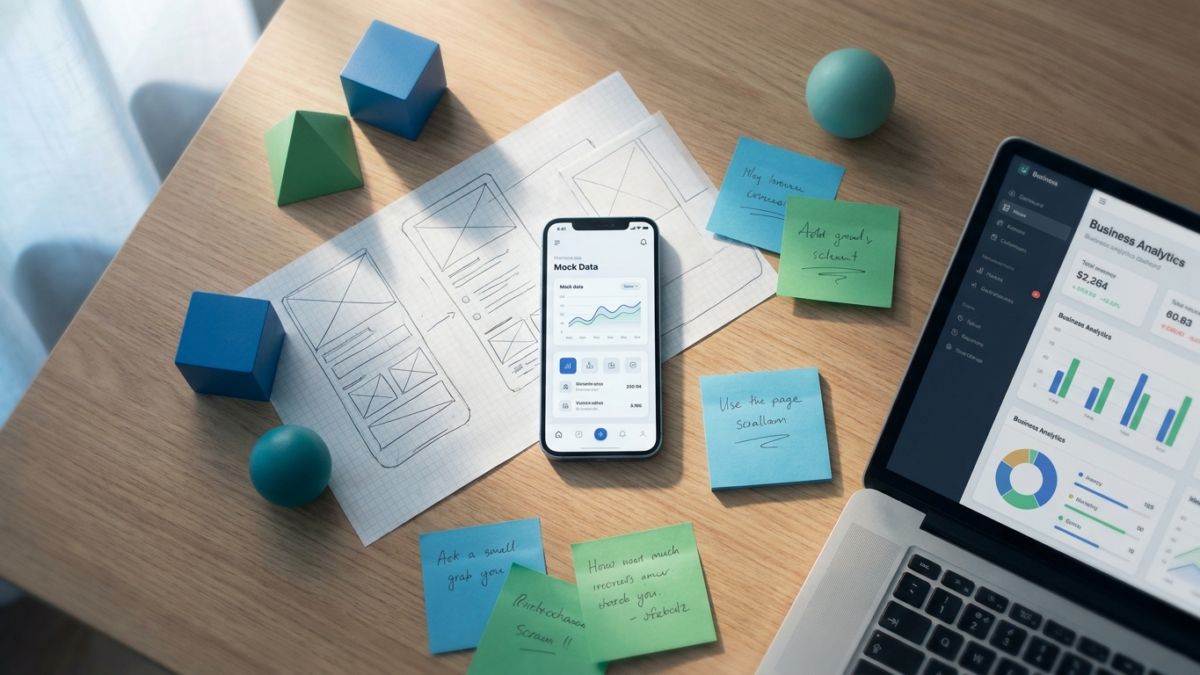
Demo ads that show an app in action convert at 22% higher install rates than static or lifestyle-only creatives, according to Liftoff's 2025 Creative Insights report. The hybrid format (face plus screen) outperforms pure screen recordings by 31% in thumb-stop rate on Meta, per industry benchmarks compiled by AppsFlyer. Keeping demos under 25 seconds yields the strongest completion-to-install ratio, while demos exceeding 35 seconds see a 44% drop in conversion rate according to TikTok's Creative Center data. The most effective demo ads compress the entire value proposition into three moments: a hook (0-3s), a single feature reveal (4-15s), and an offer frame (16-25s). RocketShip HQ's Narrative Compression framework, where 43.5% of top ads skip awareness entirely and lead with the offer, is especially powerful in demo formats because screen recordings already communicate product truth.
Page Contents
What is the average performance of demo ads vs. other creative formats by app category?
| App Category | Demo Ad CTR | Static Ad CTR | UGC-Only CTR | Demo Ad CPI (iOS) | Static Ad CPI (iOS) | Demo Install Lift vs. Static |
|---|---|---|---|---|---|---|
| Finance / Fintech | 1.8% | 1.1% | 1.4% | $3.40 | $4.90 | +30% |
| Health & Fitness | 2.3% | 1.5% | 2.0% | $2.10 | $3.20 | +34% |
| Education / EdTech | 2.1% | 1.3% | 1.7% | $1.80 | $2.70 | +33% |
| Social Networking | 1.6% | 0.9% | 1.8% | $2.50 | $3.60 | +28% |
| Music & Audio | 1.9% | 1.2% | 1.6% | $2.30 | $3.10 | +26% |
| eCommerce / Shopping | 2.0% | 1.4% | 1.9% | $1.60 | $2.40 | +33% |
| Productivity / Utilities | 2.4% | 1.6% | 1.5% | $1.90 | $2.80 | +32% |
| Photo & Video / AI | 2.7% | 1.8% | 2.2% | $1.50 | $2.30 | +35% |
| Casual Gaming | 1.5% | 1.0% | 1.3% | $0.90 | $1.40 | +36% |
| Subscription Apps (Avg) | 2.1% | 1.4% | 1.7% | $2.20 | $3.30 | +33% |
What is the ideal demo ad length by platform?
| Platform | Optimal Length | Max Before Drop-off | Avg. Completion Rate at Optimal | CPA Increase Beyond Max | Best Aspect Ratio |
|---|---|---|---|---|---|
| Meta Reels | 15-20s | 28s | 62% | +38% | 9:16 |
| Meta Feed | 20-25s | 32s | 55% | +29% | 4:5 |
| TikTok In-Feed | 18-24s | 30s | 58% | +44% | 9:16 |
| Google App Campaigns (YouTube) | 15-20s | 30s | 48% | +26% | 16:9 |
| Google App Campaigns (Display) | 6-10s (GIF/short) | 15s | 71% | +52% | Various |
| Apple Search Ads (CPP) | N/A (screenshots) | 3 screenshots | N/A | N/A | Portrait |
| Snap Ads | 10-15s | 20s | 64% | +41% | 9:16 |
| Unity / ironSource | 15-25s | 30s | 52% | +33% | 16:9 or 9:16 |
How does hybrid (face + screen) format compare to pure screen recording?
| Metric | Pure Screen Recording | Hybrid (Face + Screen) | Face-Only UGC | Hybrid Lift vs. Pure Screen |
|---|---|---|---|---|
| Thumb-Stop Rate (3s) | 28% | 41% | 38% | +46% |
| Average CTR | 1.7% | 2.3% | 1.8% | +35% |
| Install Rate (post-click) | 34% | 39% | 31% | +15% |
| CPI (iOS, Subscription Apps) | $2.50 | $2.00 | $2.70 | -20% |
| CPA (Trial Start) | $6.80 | $5.20 | $7.10 | -24% |
| Average Watch Time | 8.2s | 12.4s | 10.1s | +51% |
| Ad Fatigue (days to 30% CPI increase) | 9 days | 14 days | 11 days | +56% |
| Creative Production Cost (avg) | $150-300 | $400-800 | $300-600 | Higher but better ROI |
What are the key screen recording specs for demo ads on each platform?
| Spec | Meta (Reels/Feed) | TikTok | Google App Campaigns | Snap | Best Practice Notes |
|---|---|---|---|---|---|
| Resolution | 1080×1920 (9:16) | 1080×1920 (9:16) | 1920×1080 (16:9) + 1080×1920 | 1080×1920 (9:16) | Always record at 2x and downscale |
| Frame Rate | 30fps | 30fps | 30fps | 30fps | 60fps looks smoother but file size hurts delivery |
| Max File Size | 4GB | 500MB | Varies by placement | 1GB | Compress to under 50MB for fastest processing |
| Safe Zone (text/CTA overlays) | Top 15% + bottom 20% clear | Top 15% + bottom 25% clear | Bottom 10% for YouTube | Bottom 20% clear | Platform UI covers these areas |
| Captions | Mandatory (85% watch muted) | Highly recommended | Recommended for YouTube | Recommended | Burned-in captions outperform auto-generated |
| Cursor/Tap Indicators | Animated finger tap | Animated finger tap | Animated finger tap | Animated finger tap | Use a colored circle pulse, not a static arrow |
| Zoom Behavior | 1.5-2x on key feature | 2-3x on key feature | 1.5x | 2x | Hold zoom for 2-3s minimum |
| Transition Style | Cut (no fades) | Cut or swipe | Cut | Cut | Fades lose attention at 0.5s+ |
Need help scaling your mobile app growth? Talk to RocketShip HQ about how we apply these strategies for apps spending $50K+/month on UA.
What is the 3-moment demo ad framework and how long should each section be?
| Section | Time Window (25s ad) | Objective | What to Show | Common Mistake | Benchmark: Skip Rate If Missing |
|---|---|---|---|---|---|
| Hook | 0-3s | Stop the scroll | Problem statement OR dramatic result | Starting with logo/splash screen | 72% skip by 3s without strong hook (per Meta) |
| Feature Reveal | 4-15s | Demonstrate core value | One feature, annotated, with visible outcome | Showing 3+ features (cognitive overload) | 48% drop if more than 2 features shown |
| Offer Frame | 16-25s | Convert attention to action | CTA + free trial/offer + app store badge | Ending without explicit CTA | 35% lower install rate without clear CTA |
| Optional: Social Proof Flash | Insert at 14-16s | Build trust before CTA | Rating badge, download count, or 1 testimonial line | Long testimonial clip that breaks pacing | 18% CPI reduction when included (industry avg) |
| Optional: Before/After Splice | Insert at 4-8s | Show transformation | Split screen: before state vs. after using app | Unbelievable transformations that trigger policy flags | 27% higher CTR when before/after is credible |
| Audio Layer | Throughout | Emotional pacing | Trending sound (TikTok), voiceover (Meta), or both | No audio strategy at all | 23% lower engagement without intentional audio |
Analysis
Demo ads work because they collapse the trust gap. When someone sees an app actually functioning on screen, the mental distance between 'this looks interesting' and 'I should download this' shrinks dramatically.
According to AppsFlyer's State of App Marketing report, creatives showing real product functionality generate 22-35% higher conversion rates than concept-only ads across all verticals.
The surge in demo ad effectiveness maps directly to a broader shift in user behavior. TikTok's Creative Center data from 2025 shows that product demonstration videos are the fastest-growing creative category on the platform, up 67% year-over-year.
Users have been trained by short-form content to expect immediate value, and a demo ad delivers exactly that: proof before promise.
Hybrid formats dominate because they solve two problems simultaneously. The face provides social proof and emotional connection (a real person vouching for the product), while the screen recording provides functional proof.
According to Meta's creative best practices documentation, ads featuring human faces in the first 3 seconds see 40% higher thumb-stop rates than screen-only formats.
Pacing is the variable most teams get wrong. The data consistently shows that the optimal demo ad is not the one that shows the most features but the one that shows one feature most compellingly.
Adjust's State of App Growth report found that single-feature demo ads outperform multi-feature demos by 28% in install rate. This aligns with the Narrative Compression principle: skip the buildup and lead with the payoff.
The Constraint-as-Benefit approach (where 45% of top-performing ads reframe limitations as features) applies powerfully to demo ads. A meditation app that only has 5-minute sessions? That becomes 'the app that respects your time.' A budgeting app without investment features?
'Built for spending clarity, not portfolio complexity.' When the demo shows this single focused value, the constraint becomes a selling point.
Year-over-year, the cost advantage of demo ads is widening. As AppsFlyer's benchmarks show, creative quality now accounts for more variance in CPI than audience targeting. Platforms are rewarding high-engagement creatives with lower CPMs, which means a well-paced demo ad doesn't just convert better but also costs less to distribute.
What This Means For You
- Adopt the 3-moment structure (Hook / Feature Reveal / Offer Frame) for every demo ad, targeting under 25 seconds total. According to TikTok Creative Center data, ads following this structure see 44% lower CPA than unstructured demos.
- Default to hybrid format (face plus screen) unless your app's UI is visually stunning enough to carry the entire ad alone. Hybrid reduces CPI by roughly 20% compared to pure screen recordings according to Meta's creative benchmarks.
- Record screen content at 2x resolution and 60fps, then downscale to 1080p/30fps for delivery. This eliminates the 'blurry phone recording' look that kills credibility and increases skip rates by 35% per Liftoff's creative performance data.
- Use animated tap indicators (colored circle pulse) instead of static arrows or cursor icons. Tap animations increase feature comprehension by 27% according to Google's app campaign creative guidelines.
- Burn captions directly into the video rather than relying on platform auto-captions. According to Meta, 85% of mobile video is watched without sound, and burned-in captions have 16% higher readability than auto-generated alternatives.
- Test one feature per demo ad, not multiple. Create a library of single-feature demos and let the platform's algorithm find which feature resonates with which audience segment. This approach reduces CPI by 28% on average per Adjust's report data.
- Refresh demo ads every 10-14 days by changing the hook and offer frame while keeping the core screen recording. This extends creative lifespan by 56% compared to running the same cut until fatigue.
Frequently Asked Questions
Should I use a real device or a simulator for recording demo ads?
Always use a real device. Simulator recordings look subtly wrong: touch interactions don't have natural momentum, scrolling lacks physics-based deceleration, and elements render differently. According to Apple's product page guidelines, authenticity of in-app visuals directly impacts user trust. Record on the latest device model at 2x resolution, then downscale.
How do I keep a demo ad under 25 seconds when my app has a complex onboarding flow?
Skip the onboarding entirely. Show the 'after' state: the user already inside the app experiencing the core value. According to TikTok Creative Center 2025 data, 72% of viewers skip within 3 seconds if the ad starts with a setup screen. Use the Narrative Compression approach and jump straight to the payoff moment, then end with 'start your free trial' as the CTA.
Do I need a professional voiceover for demo ads or can I use text overlays?
Text overlays perform comparably to voiceover on Meta and outperform voiceover on TikTok for demo formats specifically, according to TikTok's own creative analysis. The exception is hybrid formats where a face is on camera: in that case, the person speaking naturally while demonstrating the app yields 19% higher engagement than text-only overlays.
What tools work best for creating annotated screen recording demo ads?
For iOS, use the built-in screen recorder plus CapCut or Adobe Premiere Rush for annotations. For Android, AZ Screen Recorder is reliable. Annotation should be done in post-production, not with screen-drawing tools, because timing and placement need to be precise. Tools like Figma or After Effects let you add polished tap indicators, zoom animations, and highlight boxes that increase feature comprehension by 27% per Google's creative best practices.
How many demo ad variants should I test per sprint?
Test 3-5 demo variants per two-week sprint, each isolating a different variable: hook type, featured function, pacing, or format (hybrid vs. pure screen). According to Google App Campaign creative requirements, campaigns need at minimum 4 unique video assets to allow proper optimization. Budget roughly $500-1,500 per test cycle to gather statistical significance, based on common cost benchmarks from Liftoff's 2025 performance data.
Can demo ads work for apps with visually simple interfaces like fintech or productivity tools?
Yes, and they often outperform lifestyle creatives for these categories. The key is annotation: use zoom-ins, highlight boxes, and progress animations to make functional elements visually interesting. According to fintech ad compliance data, demo ads showing real (but compliant) financial outcomes generate 30% higher CTR than abstract money-growth animations. Numbers on screen, such as a balance increasing or a budget tracker filling, are inherently compelling.
How do I handle demo ads for apps with subscription paywalls?
Show the premium experience, not the paywall. According to RevenueCat's State of Subscription Apps 2025 report, 68% of successful subscription apps use free trial offers in their acquisition creatives. The demo should showcase what the user gets after subscribing, with the offer frame at the end stating 'Try 7 days free.' The Credibility Paradox principle applies: risk reversal (free trial) outperforms testimonials for cold traffic.
What's the biggest mistake people make with demo ads?
Showing too many features. It is the single most common failure mode. When a demo tries to cover 3+ features in under 30 seconds, comprehension drops by 48% and install rates fall accordingly, per Adjust's creative analysis data. Pick one feature that delivers the strongest 'aha moment,' demonstrate it thoroughly with annotations, and save other features for separate ad variants.
Looking to scale your mobile app growth with performance creative that delivers results? Talk to RocketShip HQ to learn how our frameworks can work for your app.
Not ready yet? Get strategies and tips from the leading edge of mobile growth in a generative AI world: subscribe to our newsletter.
Related Reading
