Choosing between broad match and exact match in Apple Search Ads is one of the most consequential decisions you'll make in your keyword strategy, and the answer is almost never one or the other.
In our experience managing mobile ad spend across a wide range of apps, we've seen teams waste thousands by going all-in on one match type without understanding how they work together.
The right approach is a structured funnel that uses broad match for discovery and exact match for control, with a disciplined process for mining winners from one and feeding them into the other.
Page Contents
What is the difference between broad match and exact match in Apple Search Ads?
Exact match shows your ad only when a user searches for the specific keyword you've bid on (or very close variants like plurals). Broad match lets Apple show your ad for related searches, synonyms, and phrases it deems relevant to your keyword. The practical difference is control versus discovery.
For example, if you bid on "meditation app" as exact match, you'll only appear for that term and close variants like "meditation apps." With broad match on the same keyword, Apple might show your ad for "mindfulness timer," "stress relief app," or "calm breathing exercises." This distinction is critical because it determines both your cost efficiency and your ability to find new, high-performing keywords.
- Exact match: high control, predictable CPAs, limited reach
- Broad match: wider reach, variable CPAs, keyword discovery potential
- Both match types can be used simultaneously on different campaigns
Should I use broad match or exact match in Apple Search Ads?
You should use both, but in a structured funnel. Broad match serves as your discovery engine to find new converting search terms. Exact match is where you scale the winners with tight cost control. Running only one match type leaves either efficiency or growth on the table.
A well-structured Apple Search Ads strategy treats match types as complementary tools rather than competing options, and in our experience this funnel approach consistently outperforms single-match-type strategies.
The Discovery-to-Scale Funnel
Start with broad match campaigns at moderate bids to let Apple surface relevant search terms you haven't thought of. Review the search term reports weekly.
When a search term converts at or below your CPA target over a meaningful sample (we typically look for 3+ conversions), add it as an exact match keyword in a separate campaign.
Then add that term as a negative exact match in the broad match campaign to avoid competing with yourself.
Why Not Just Use Exact Match?
Exact match alone is too limiting. Apple's App Store has millions of search queries, and you cannot predict every relevant term users will type. We've observed that a significant share of the best-performing exact match keywords in mature campaigns were originally discovered through broad match mining—terms you'd simply never find through brainstorming or third-party keyword tools alone.
How should I allocate budget between broad match and exact match Apple Search Ads campaigns?
A common starting split is 30% broad match and 70% exact match. As your exact match keyword list grows from mining broad match winners, the ratio typically shifts to 20/80 or even 15/85. The broad match budget is essentially your R&D spend for keyword discovery. Structuring your Apple Search Ads campaigns properly ensures that brand terms (which typically convert at meaningfully higher tap-to-install rates than generic terms) don’t get lumped into the same budget as broad match exploration.
The key principle: your broad match CPA target should be slightly more lenient than your exact match target, usually 20-30% higher. You're paying a premium for discovery. If your exact match target CPA is $10, run broad match with a $12-13 target. This gives Apple's algorithm enough room to explore without burning budget on irrelevant queries.
- New accounts: start at 30-40% broad, 60-70% exact
- Mature accounts: shift to 15-20% broad, 80-85% exact
- Set broad match CPA targets 20-30% above exact match targets
- Review and rebalance monthly based on discovery velocity
How do I mine keywords from broad match campaigns in Apple Search Ads?
Use the Search Terms report in Apple Search Ads to identify which actual user queries triggered your broad match ads, then evaluate them on conversion rate, CPA, and volume before promoting them to exact match. This should be a weekly discipline, not a monthly afterthought.
Step-by-Step Mining Process
Pull your search term report filtered to the last 7-14 days. Sort by conversions (installs or post-install events, depending on your optimization goal). Look for terms with 3+ conversions at or below your CPA threshold. Add those terms as exact match keywords in your exact match campaign with appropriate bids.
Immediately add them as negative exact match keywords in your broad match campaign. This prevents the two campaigns from bidding against each other and inflating your costs.
What About Low-Volume Gems?
Some search terms will show 1-2 conversions at a great CPA but lack statistical significance. Flag these in a spreadsheet and revisit after 2-3 weeks. If they continue converting, promote them. Understanding how to choose the right keywords requires patience and data, not gut feel.
How do negative keywords work with broad match and exact match in Apple Search Ads?
Negative keywords are essential for making the broad-to-exact funnel work. You add negative exact match keywords to your broad match campaigns to prevent them from serving on terms you're already targeting in exact match. You also add irrelevant or high-CPA terms as negative keywords to stop wasting spend.
There are two types of negative keyword hygiene to maintain. First, promotional negatives: every time you move a keyword from broad to exact, negate it in broad. Second, defensive negatives: terms that spend but don't convert (or convert at unacceptable CPAs) should be negated to protect your budget.
In active broad match campaigns, we recommend reviewing and adding negative keywords on a weekly cadence to keep spend focused on relevant queries.
- Promotional negatives: terms moved to exact match, negated in broad
- Defensive negatives: irrelevant or high-CPA terms blocked entirely
- Review search terms weekly and negate aggressively in broad match campaigns
- Without negative keywords, broad match campaigns will waste a significant portion of spend on irrelevant terms
Can I use custom product pages with different match types in Apple Search Ads?
Yes, and this is an underutilized tactic. Apple allows up to 35 custom product pages per app, and you can assign different custom product pages to different ad groups. This means you can tailor the landing experience based on the intent behind broad match versus exact match keywords.
For instance, if your exact match campaign targets "budget tracker app," you can pair it with a custom product page that highlights budgeting features in the screenshots.
Meanwhile, your broad match campaign might surface terms related to "save money app" or "spending habits," which could map to a different product page emphasizing savings goals.
As covered in detail on the Mobile User Acquisition Show, pairing customized ad creatives to separate landing pages per audience can meaningfully improve conversion rates. When you optimize Apple Search Ads conversion rates, custom product pages commonly deliver meaningful improvements compared to default product pages, especially when matched to specific keyword intent.
What are common mistakes when using broad match in Apple Search Ads?
The three biggest mistakes are: running broad match without negative keywords, using the same CPA targets as exact match (which starves the algorithm), and failing to mine search terms regularly. Any one of these can make broad match look like a money pit when it should be a discovery goldmine.
- No negative keywords: leads to significant wasted spend on irrelevant terms
- CPA targets too tight: Apple's algorithm can't explore, so volume collapses
- Not mining weekly: you miss converting terms that should be in exact match
- Running one broad match ad group with too many keywords: dilutes signal and makes it hard to attribute performance. Creating custom product pages for Apple Search Ads allows you to leverage all 35 unique App Store landing pages per app to match different keyword intents discovered through broad match.
- Ignoring Search Match campaigns: Apple's Search Match (a separate discovery tool) should complement, not replace, broad match
How do I measure whether my broad match to exact match funnel is working?
Track three metrics monthly: the number of new exact match keywords added from broad match mining, the blended CPA trend across both match types, and the percentage of exact match spend relative to total spend. A healthy funnel shows a growing exact match keyword list, declining blended CPA over time, and an increasing share of spend on exact match.
At RocketShip HQ, we also track "discovery efficiency," which is the cost of finding a new profitable exact match keyword. You calculate it by dividing total broad match spend by the number of keywords successfully promoted to exact match in that period.
If your discovery cost is trending high, your broad match campaigns may need tighter negative keyword management or refreshed seed keywords. To quantify the impact of keyword optimization, tie these newly discovered keywords back to incremental installs and downstream revenue—especially important for Apple Search Ads subscription app growth where brand keywords typically convert to trial at meaningfully higher rates than generic keywords.
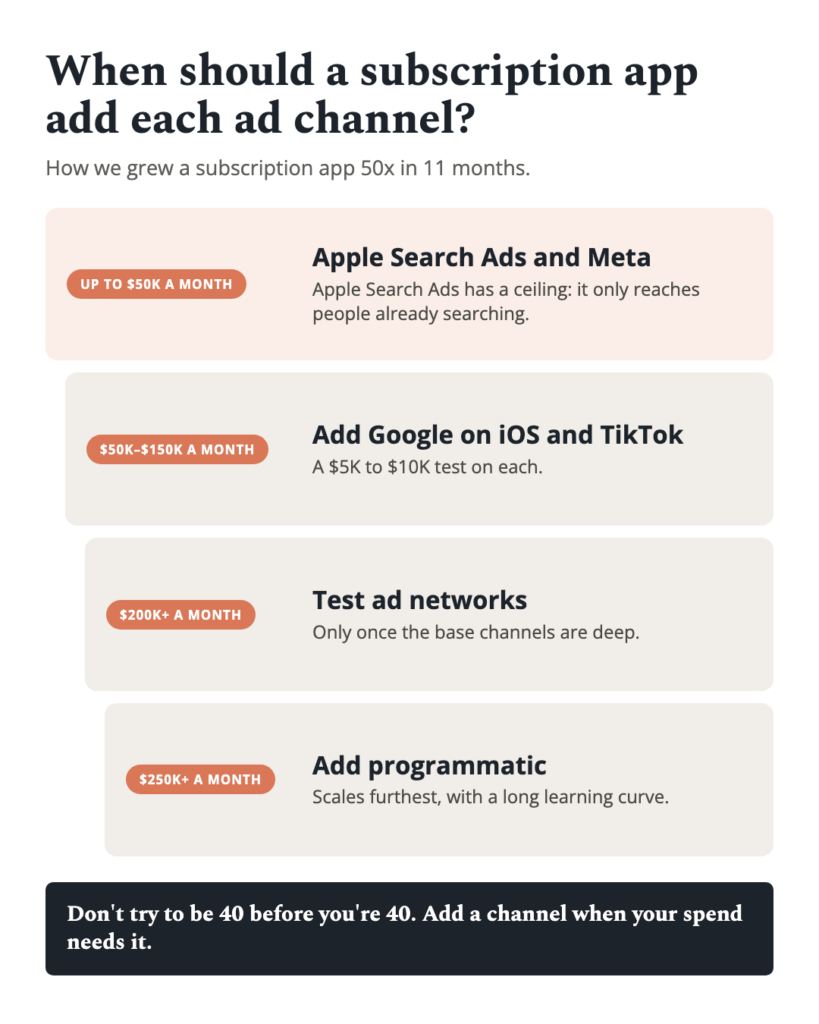
The broad match versus exact match debate has a clear resolution: use both, but with discipline. Build a structured funnel where broad match discovers new opportunities, weekly mining promotes winners to exact match, and negative keywords keep the system clean. This approach consistently delivers both efficiency and scale. When combined with running mobile UA across multiple channels simultaneously, expanding your channel mix can drive meaningful blended CPA improvements over time.
If you need help building or optimizing this funnel, the team at RocketShip HQ is ready to help get your Apple Search Ads performing at their full potential.
Looking to scale your mobile app growth with performance creative that delivers results? Talk to RocketShip HQ to learn how our frameworks can work for your app.
Not ready yet? Get strategies and tips from the leading edge of mobile growth in a generative AI world: subscribe to our newsletter.
Related Reading
- Apple Search Ads: strategy and optimization guide (comprehensive guide)
- How to Choose the Right Keywords for Apple Search Ads
- Apple Search Ads: strategy and optimization guide