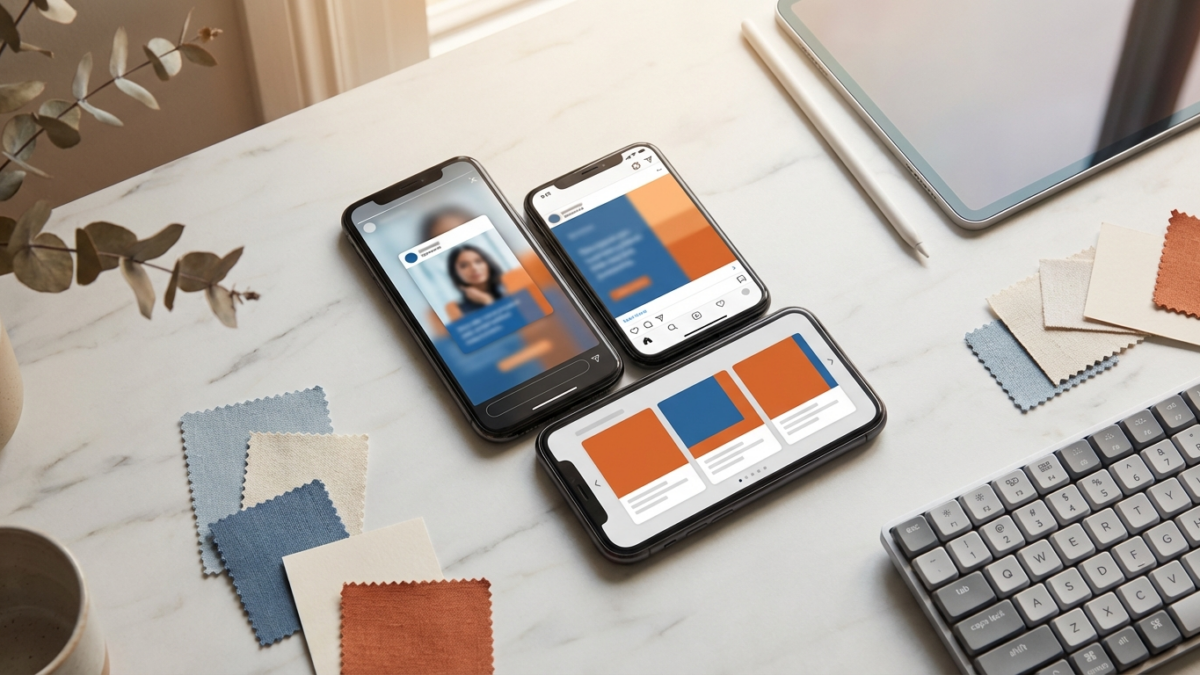
Short answer: build one strong concept as a 9:16 master (1080×1920), then adapt it per placement instead of uploading a single asset and letting Meta auto-crop it across feed, Stories, and Reels. Keep the hook and call to action inside the safe zone so platform UI never sits on top of them, make the first 3 seconds work with the sound off for feed, and carry the same 3C hook (context, clarity, curiosity) into every format. Then test each placement in your own account rather than assuming which version wins.
Most mobile marketers know they should tailor creative to each Meta placement, but in practice many still upload one asset and trust auto-crop to handle feed, Stories, and Reels. The problem is that each placement has different screen shape, different UI overlays, and a different user mindset. A creative that reads cleanly in the feed can get letterboxed, cropped through its hook, or muted into irrelevance when it is force-fit into a full-screen vertical slot. Because creative is the biggest lever on mobile app campaign performance, the fix is less about settings and more about building the asset so it survives every placement it lands in.
Page Contents
Why does one asset across every placement underperform?
A single asset stretched across placements fails for reasons you can see without any benchmark data:
- Wrong shape. A wide or square video dropped into a full-screen vertical slot leaves black bars or crops out the edges of the frame, including text and faces.
- Cropped hook. Auto-crop does not know where your hook lives. It can cut the exact words or visual that was supposed to stop the scroll.
- Wrong sound assumption. Feed is largely browsed with sound off, while Stories and Reels are more often sound-on. One mix cannot be optimal for both.
- Wrong mindset. Feed is a lean-back, scrolling environment. Stories and Reels are full-screen and fast to skip. The same pacing rarely fits both.
The cost of all this varies by app and account, so the honest move is to pull your own placement breakdown in Ads Manager (Breakdown by Delivery, then Placement) and see where engagement drops. When one placement lags, creative fit is usually the first thing to check, not audience quality.
How do you build one creative that works across placements?
The most production-efficient approach is to build a vertical master and adapt down, rather than shoot or design separately for every slot.
- Shoot or design in 9:16 (1080×1920) first. It is easier to crop a tall vertical frame into the shorter feed shape or a square than it is to invent extra frame to expand a feed asset into full vertical. Keep subjects and key text centered so cropping stays safe.
- Keep the subject and hook centered. If the important action lives in the middle of the frame, the same master can be re-cropped for feed and square placements without losing the point.
- Use Meta’s placement asset customization. At the ad level you can swap in a different aspect ratio per placement inside a single ad, so your learnings stay consolidated while each placement gets a version built for its shape.
- Adapt copy, not just the video. Headline and primary text can be tightened for the smaller, faster vertical placements and run a little longer in the feed.
The goal is one concept, expressed natively in each placement, produced from a single capture or design session so adapting formats stays fast instead of tripling the work.
Where are the safe zones, and why do they decide the hook?
Every placement layers its own interface on top of your creative: a profile and name bar near the top, and a caption, call-to-action button, and swipe affordances near the bottom in full-screen vertical placements. Anything you put in those bands competes with UI, and the UI wins.
That is why the safe zone is a creative decision, not a technical afterthought. Your hook text, your most important visual, and your call to action all need to sit in the clear middle of the frame so nothing the platform draws can cover them. We cover the format-by-format detail in our guide to creative safe zones for vertical placements, but the principle is simple: design as if the top and bottom edges will be partly obscured, because in vertical placements they usually are.
Preview before you trust it. Use the placement previews in Ads Manager to confirm that no UI element lands on your hook or CTA in any slot you are running. If it does, move the element, do not ship and hope.
How should the hook change between feed and Stories or Reels?
The hook framework stays constant; the delivery flexes. RocketShip HQ’s 3C Principle applies in every placement: the opening needs Context (who this is for), Clarity (what it is about), and Curiosity (a reason to keep watching). What changes is how you express those three things given the environment.
Feed: assume the sound is off. The hook has to land visually and in text. A text overlay that opens a curiosity gap, paired with a clear visual, does the work that audio would do elsewhere. Lead with a question or a pointed claim that fits a browsing, lean-back mindset.
Stories and Reels: assume full-screen attention that disappears fast. Open on motion rather than a static frame, lean on the 4-Layer Hook System (visual, text, verbal, audio working together), and use sound as a real hook layer rather than an afterthought. A pattern break with emotional charge tends to fit this lean-forward, entertainment-seeking context better than a purely rational, text-heavy open.
Across all of them, the first 3 seconds carry the load. For more on building those seconds, see what makes a good video ad for mobile apps. The hook is the same idea wearing the right clothes for the room it walks into.
How do you test creative per placement?
Do not assume a placement is weak because the format theory says so, and do not assume a feed winner will translate to Reels. Both are testable.
- Read placement-level data, not just the blend. A hook that wins in the feed can lose in Stories and the reverse. Track winners by placement so your next round of iteration starts from the right learnings.
- Give each version a fair read. Let a version gather enough delivery to mean something before you judge it. What “enough” looks like depends on your spend and volume, so set the bar in your own account.
- Separate hook quality from the rest. A strong early-view rate with weak conversion points at the body of the ad or the landing experience, not the hook. A weak early-view rate points back at the placement-specific creative itself.
- Iterate beyond your current winner. Testing only small variations of today’s best ad keeps you in a narrow lane. Leave room for genuinely different angles per placement.
If a placement keeps underperforming after honest creative iteration, you can constrain placements manually, but do that carefully, since Meta’s delivery generally benefits from more options. The durable win is a growing library of placement-specific learnings that feed every future brief.
Related reading
- The Meta finding that should change how you ship mobile ad creative
- The best ad formats for mobile app install campaigns (how to choose)
- How to make effective YouTube ads for mobile app installs
Frequently asked questions
Should I build separate creative for every Meta placement?
Not from scratch. Build one strong concept as a 9:16 master, then adapt it down to the feed shape and square statics, and use placement asset customization to deliver the right version to each slot. One concept, expressed natively per placement.
What aspect ratio should the master be in?
Start vertical at 9:16 (1080×1920). Cropping a tall frame into shorter feed or square formats is straightforward; expanding a feed asset up into full vertical means inventing frame you did not shoot. Keep the subject centered so every crop stays safe.
Why do safe zones matter so much in Stories and Reels?
Full-screen vertical placements layer UI over the top and bottom of your creative: profile bar, caption, CTA, swipe cues. If your hook or call to action sits in those bands, the interface covers it. Keep critical elements in the clear middle of the frame and confirm with placement previews before launch.
Do I really need different hooks for feed versus Reels?
The 3C framework stays the same, but delivery changes. Feed is usually sound-off and lean-back, so the hook has to work visually and in text. Stories and Reels are full-screen and sound-on, so motion and audio carry more of the load. Test both rather than assuming.
Methodology note: this guide reflects RocketShip HQ’s creative frameworks (the 3C Principle and the 4-Layer Hook System) and qualitative patterns from running mobile app creative. Placement performance varies by app and account, so treat every directional point here as something to test in your own Ads Manager, not a fixed benchmark.
Looking to scale your mobile app growth with performance creative? Talk to RocketShip HQ to learn how our frameworks can work for your app.
Not ready yet? Get strategies and tips from the leading edge of mobile growth in a generative AI world: subscribe to our newsletter.