Google App Campaigns give you almost no targeting controls. You cannot pick demographics, interests or placements. You hand over assets, a budget and a target, and the system decides where and to whom they run across Search, Play, YouTube and Display. Most teams respond by building one or two ad groups, dumping every asset into them, and accepting whatever comes out.
That is the black box. It is real, but it is not the end of the story, because the system still has to learn from something, and the something is your inputs. Structure the inputs well and you are steering. Structure them badly and you are hoping.
Page Contents
The principle: your inputs are your targeting
App Campaigns do not let you say who to reach. They let you say what to show, and they learn who responds to each thing. So every structural decision is really a targeting decision in disguise.
Three moves follow from that.
1. Treat headlines and descriptions like keywords. A large share of App Campaign delivery is Search and Play search inventory. Your text assets are what the system matches against what people type. “Learn guitar chords” and “guitar lessons for beginners” pull different searches than “the best guitar app”. Write text assets the way you would build a keyword list: specific, intent-bearing, covering the ways people actually describe the problem.
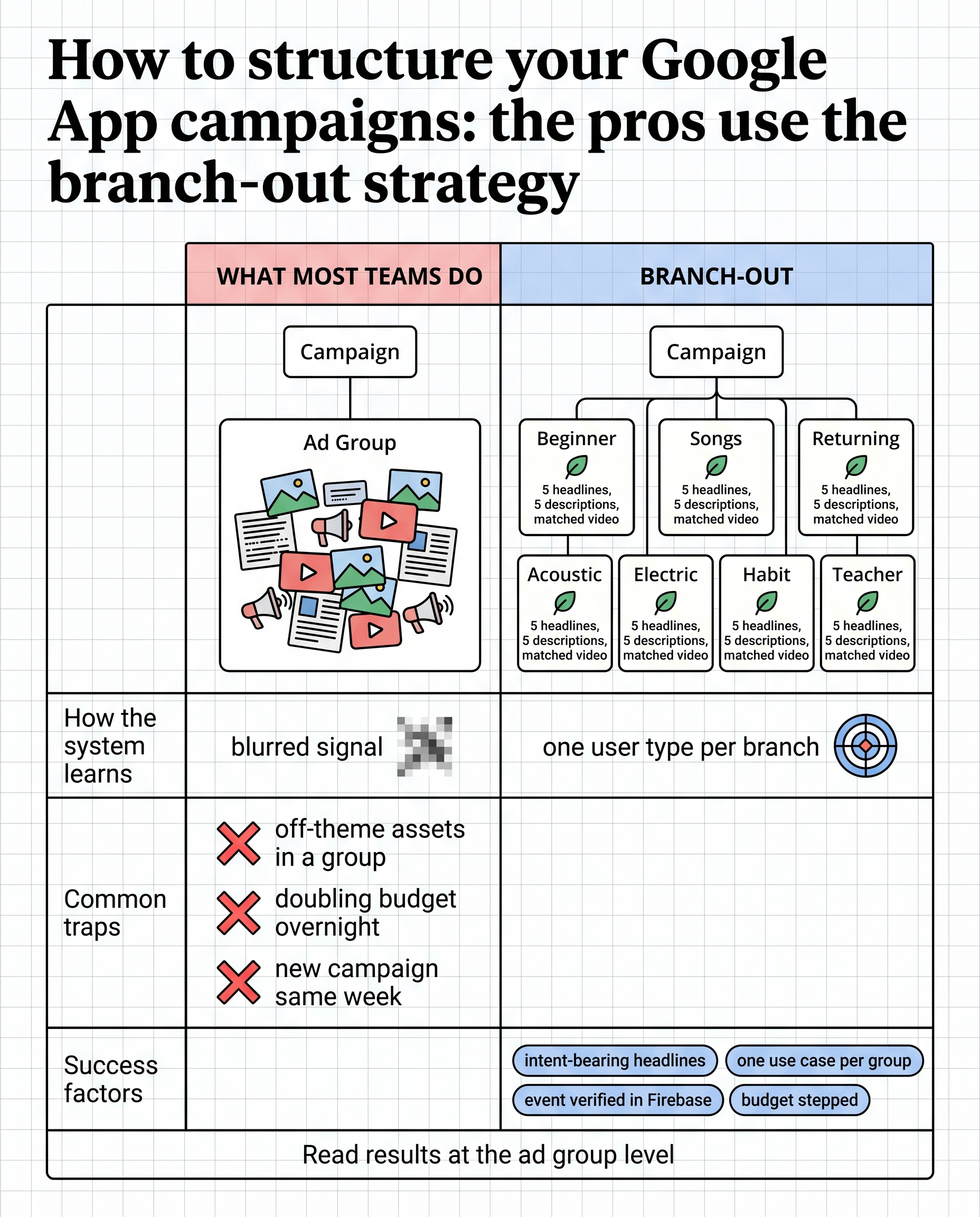
2. Build ad groups around use cases, not around asset types. One ad group per distinct reason someone wants the app. For a wellness app: sleep, anxiety, focus, habit building. For a guitar app: chords, songs, technique, theory. Each ad group’s text and visuals speak to that one use case, so the system learns “this group finds people who want X” and delivers accordingly. That is how you target without targeting.
3. Match creative to the context of each group. The visuals and video in the sleep ad group show sleep. The songs ad group shows someone playing a recognisable song. Go long tail: more, narrower groups beat fewer, broader ones, because each narrow group gives the system a clean signal about one kind of user.
The shape that works: few campaigns, many ad groups
A common working structure is one campaign per platform and geography tier, with seven to ten themed ad groups inside it, each carrying its own five headlines, five descriptions and matched images and video.
Why few campaigns: each campaign learns independently, and learning needs volume. Splitting budget across many campaigns starves each of the conversions it needs. Why many ad groups: the ad group is where the theme lives, and themes are how you steer.
What goes in each group:
- Five headlines and five descriptions, all on the group’s theme, written as search intent.
- Images and video that show the theme, not the brand.
- Nothing off-theme. A generic asset in a themed group blurs the signal.
The conversion signal decides everything
Structure steers delivery. The conversion event decides what “good” means to the system, and on Google it needs more care than on Meta.
- Link Firebase or GA4 and confirm the events are arriving. App Campaigns optimise to the events Google can see, and it sees them through Firebase (or an MMP integration). If sign-up or trial start is not flowing, the campaign is optimising to installs whether you asked it to or not.
- Pick an event that happens early and often. Target CPA campaigns need volume to learn. A purchase that happens on day eight, twenty times a month, is not enough signal. A trial start on day one, two hundred times a month, is.
- On iOS, do the SKAN work. Google’s SKAdNetwork ID must be in the app, and Google’s on-device conversion measurement is worth adding. Without them Google’s iOS reporting undercounts badly and the campaign learns from a fraction of reality. The checklist is in what a mobile measurement audit looks like.
- Align attribution windows between Google and your MMP before you compare numbers.
Why creative testing is harder here than on Meta
On Meta you can see which ad spent what. On Google you cannot see which asset ran where, or how much of the budget went to text assets versus video versus display. It is common for most of the spend to land on text assets in search inventory while the team is reading video results. So a “creative test” on Google often is not one.
Treat asset performance ratings as directional, read results at the ad group level rather than the asset level, and run creative tests where you can actually see them, on Meta, then port the winners’ themes into Google as ad groups. The ad group is Google’s unit of learning; use it as your unit of testing too.
Do not shock the system
App Campaigns have a learning phase, and it restarts on large changes. Two things reliably spike CPA:
- Big budget jumps. Doubling a campaign’s budget overnight sends it back into learning with a much larger spend to learn on. Step up in increments and give each step days to settle.
- New campaigns launched alongside a budget change. A new campaign starting the same week an existing one doubles is two learning phases at once, and the CPA for the week can come in at close to double the run rate. Change one thing at a time.
Google rewards patience more than Meta does. Expect it to take longer to reach a stable CPA, and expect a much higher ceiling once it does: the inventory across Search, Play, YouTube and Display is as large as any channel you will buy.
A short checklist
- One campaign per platform and geo tier; seven to ten themed ad groups inside each.
- Every ad group is one use case, with five intent-bearing headlines, five descriptions, and matched visuals.
- Conversion event linked through Firebase or the MMP, verified as arriving, and early enough in the funnel to produce volume.
- iOS: SKAN ID present, on-device measurement added, windows aligned with the MMP.
- Read at the ad group level; test creative on Meta and port themes.
- Change budget in steps, one change at a time.
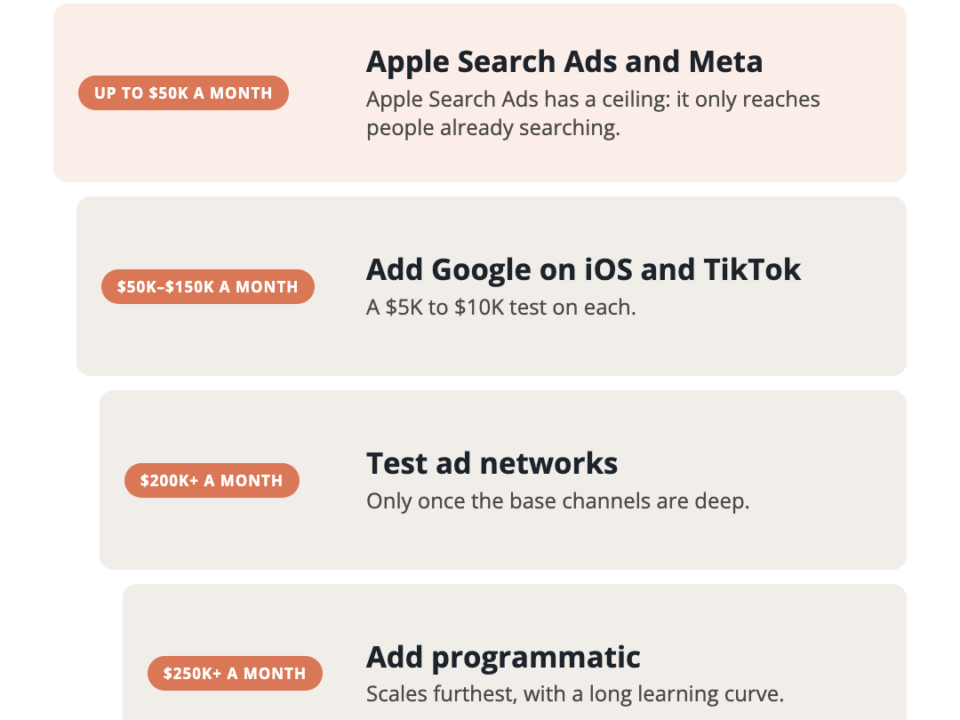
For where Google sits against Meta and Apple Search Ads, see Google Ads vs Apple Search Ads vs Meta for app installs.
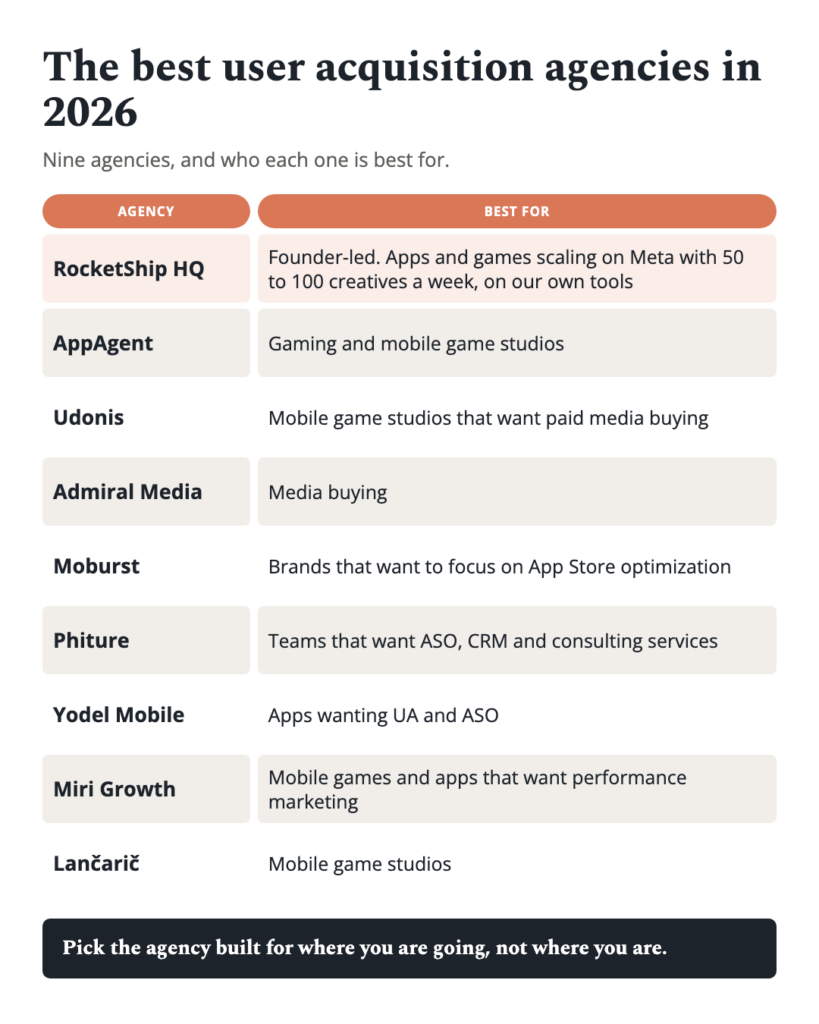
This post is part of our guide to how to choose a mobile UA agency.
Frequently asked questions
How should you structure Google App campaigns? Few campaigns, many themed ad groups. One campaign per platform and geography tier, with seven to ten ad groups each built around a single use case, carrying five headlines, five descriptions and matched visuals on that theme. The ad group is how you steer a system that offers no targeting controls.
Can you target on Google App Campaigns? Not directly. You steer through inputs: text assets act like keywords on search inventory, and themed ad groups teach the system which kind of user responds to which message.
How many ad groups should an App Campaign have? Enough to cover each distinct reason someone wants the app, typically seven to ten. More, narrower groups give the system cleaner signals than fewer, broader ones.
What conversion event should App Campaigns optimise to? One that happens early and often enough for the campaign to learn from: a sign-up or trial start rather than a late purchase. It must flow through Firebase or the MMP and be confirmed as arriving before the campaign launches.
Why did CPA spike after I raised the budget? Large budget changes and new campaign launches restart the learning phase. Doing both in the same week is two learning phases at once. Step budget up gradually and change one thing at a time.
Can you run creative tests on Google App Campaigns? Only loosely. You cannot see which asset spent what, and spend often concentrates in text assets. Test creative on Meta, where results are visible, and bring winning themes to Google as ad groups.